Quick Start
To be able to work in DMPonline, you need an account.
Logging in with VU credentials
If you have VU credentials, you can use Single Sign-on (SSO) to log in to DMPonline. If you opt for this possibility, you can log in with your VU email address and password. Follow the steps below.
On the welcome page, click on
Sign in with your institutional credentials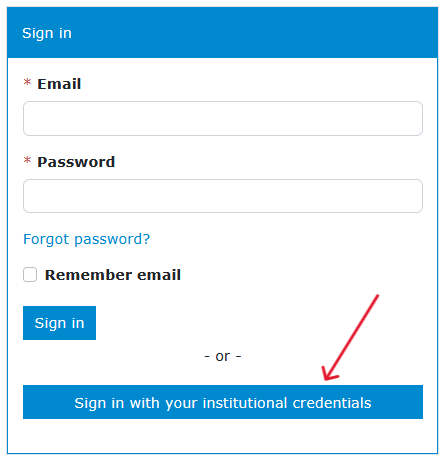
Screenshot of welcome page of DMPonline, pointing to option to sign in with institutional credentials If you visist DMPonline for the first time, you have to enter
vrije universiteit amsterdam, select the entry that appears and clickContinue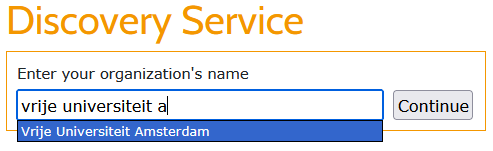
Screenshot of sign in page of DMPonline in which you can enter and select Vrije Universiteit Amsterdam as organisation If have have logged in via SSO before, you will see the VU logo and you can click that to access your DMPonline account.
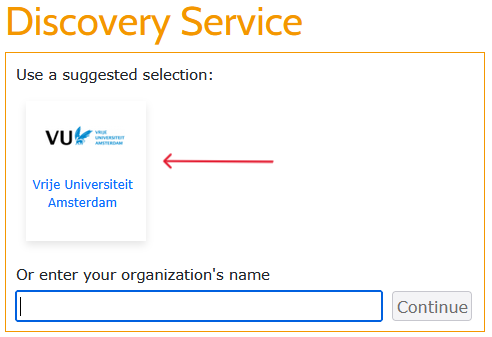
Screenshot of sign in page of DMPonline in which you can select Vrije Universiteit Amsterdam as organisation by clicking the logo If you are not logged in in other VU systems through your browser, you will be prompted to the VU login page, where you can enter your VUnetID and password. If you are logged in in other VU systems in your browser, DMPonline will recognise your credentials and you will be led to your DMPonline dashboard immediately.
Creating an account
Instead of using SSO to log in, you can also create an account yourself. This is possible both with a VU email address and other email addresses.
Creating an account with VU or ACTA email address
If you want to use your VU email address for DMPonline, but for some reason don’t want to use SSO, you can also create an account yourself based on your VU email address. You can follow the steps below.
On the welcome page, click
Create accountat the right top of the screen.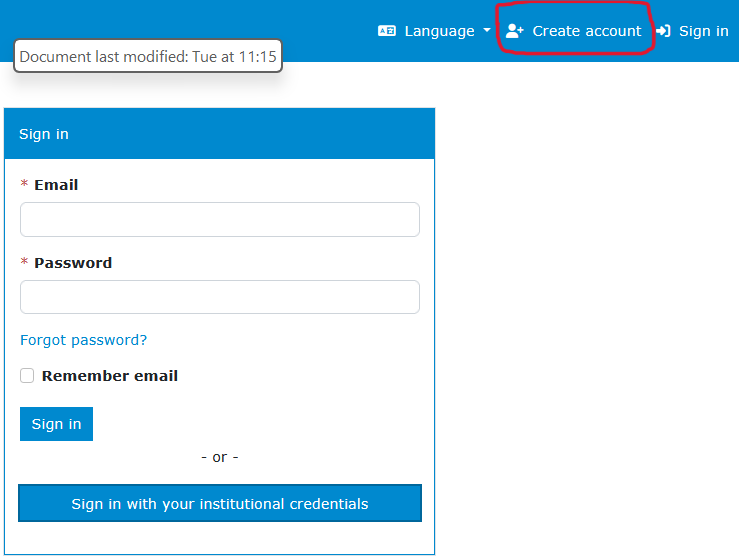
Screenshot of welcome page of DMPonline, pointing to Create account Enter your VU or ACTA email address, add the other details, and make sure to select
Vrije Universiteit Amsterdamas organisation. This will enable you to select the VU templates.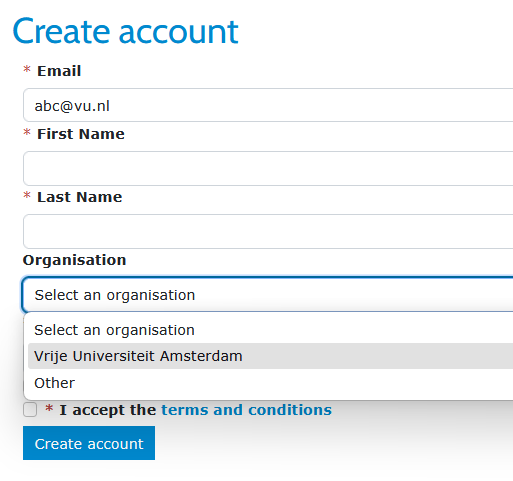
Screenshot of DMPonline page for creating an account based on a VU email address
Creating an account with a non-VU email address
If you don’t have a VU email address, you can create an account with another email address. You can follow the steps below. Note that, currently, the VU templates are not available when you create an account like this. If you need the VU template, reach out to the RDM Support Desk.
On the welcome page, click
Create accountat the top right of the screen.Screenshot of welcome page of DMPonline, pointing to Create account Enter your email address and add the other details. In this situation, you can only select
Otherfor organisation.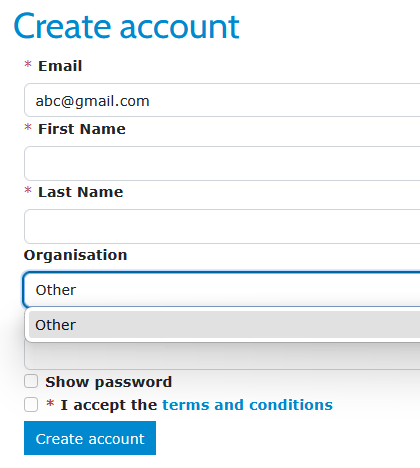
Screenshot of DMPonline page for creating an account based on a non-VU email address
More detailed instructions
DMPonline has built-in guidance and example answers for the questions in the VU DMP template. You can use this guidance when writing your DMP.
The guide How can you set up research data management from the start? contains more specific instructions on selecting the right template for your DMP or GDPR registration.
The Help page in DMPonline explains the functionality of the tool, including how to share and download DMPs and how to request feedback.